Translation status
This page has not yet been translated into Greek, or its translation is out of date. The current English version is shown as a fallback.
!color_comp_name
Specifies the mapping from physical quantities to the color map. Assigns names to the required physical quantities and their degree-of-freedom numbers. This assigns names to node_label(:) and nn_dof(:) in the result-data structure.
Then you can define which one you hope to map into color by
!color_comp_name (string, default: first variable)
Example:

!color_comp_name = pressure
     For static analysis = DISPLACEMENT   : specifies result displacement data
               = STRAIN         : specifies strain data
               = STRESS         : specifies stress data
    For heat transfer analysis = TEMPERATURE    : specifies result temperature data
!color_comp (integer, default: 0)
Physical quantity identification number (integer 0 or greater)
Specifies the identification number and component name of the result data type, but this is not implemented.
!color_subcomp (integer, default: 1)
When the physical quantity has more than one degree of freedom, as with a vector quantity, specifies its degree-of-freedom number.
Example:
!color_subcomp = 0

    When !color_comp_name=DISPLACEMENT is specified
        1: X component,  2: Y component, 3: Z component

    When !color_comp_name=STRAIN is specified
        1: εx,  2: εy,  3: εz
        4: εxy, 5: εyz, 6: εzx

    When !color_comp_name=STRESS is specified
        1: σx, 2: σy, 3: σz
        4 : τxy 5 : τyz 6 : τzx

    When !color/comp_name=TEMPERATURE is specified
        1: Temperature
For example, in structural analysis:
| Physical quantity | Displacement | Strain | Stress |
|---|---|---|---|
| Number of degrees of freedom | 3 | 6 | 7 |
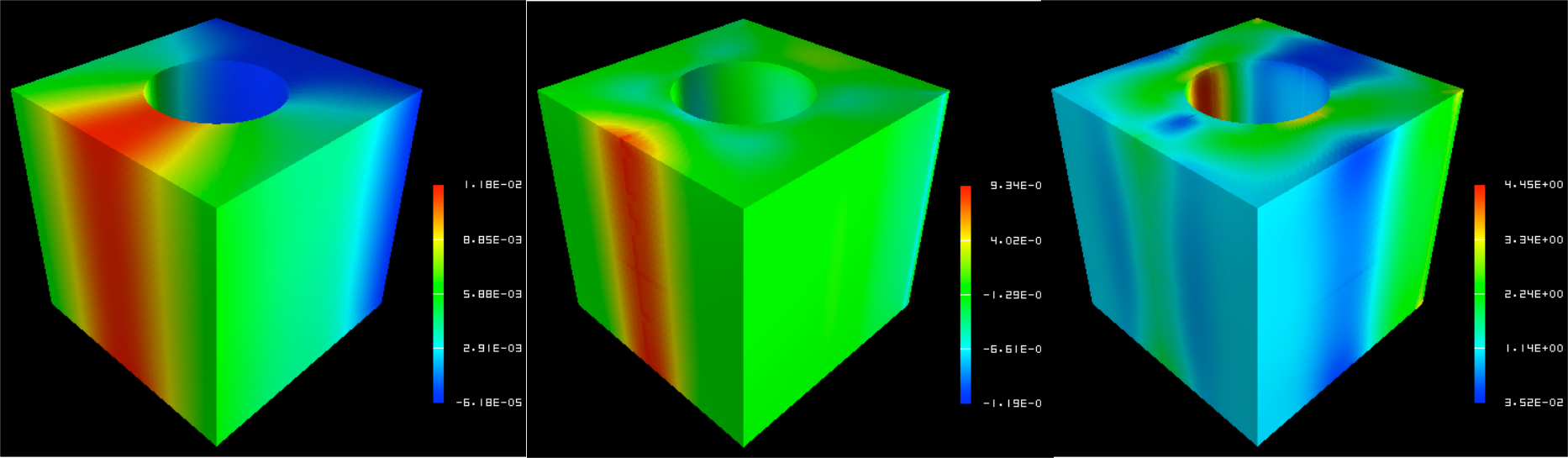
Figure 7.4.5 Example settings for color_comp, color_subcomp, and color_comp_name